
You can add a deal starting from different locations within Onpipeline. Deals can be added directly from the deal area or from person and organization panels.
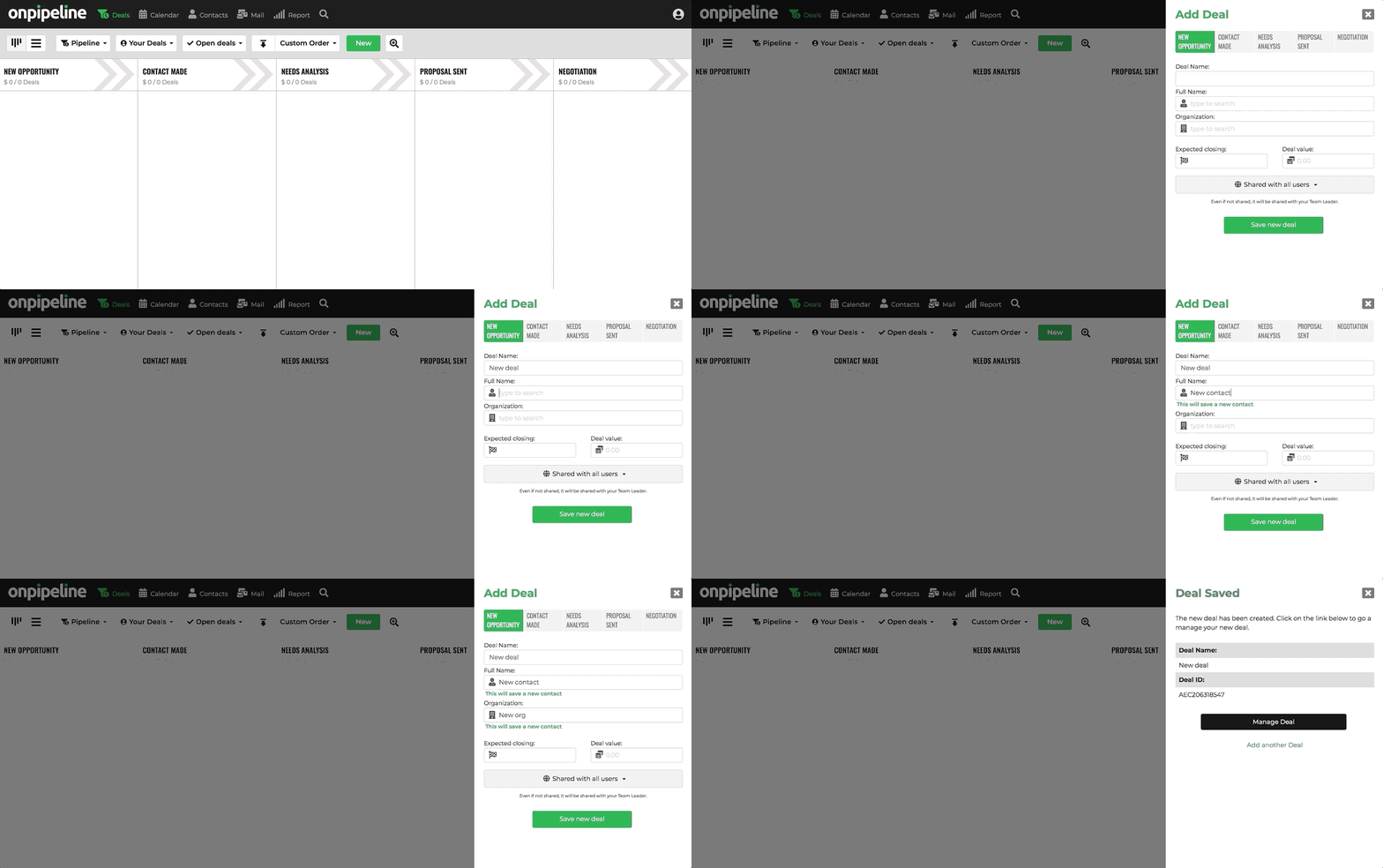
When you add a deal you can connect it to the person and the organization and optionally set information like the value and expected closing. It’s important that you connect a deal to a contact person.
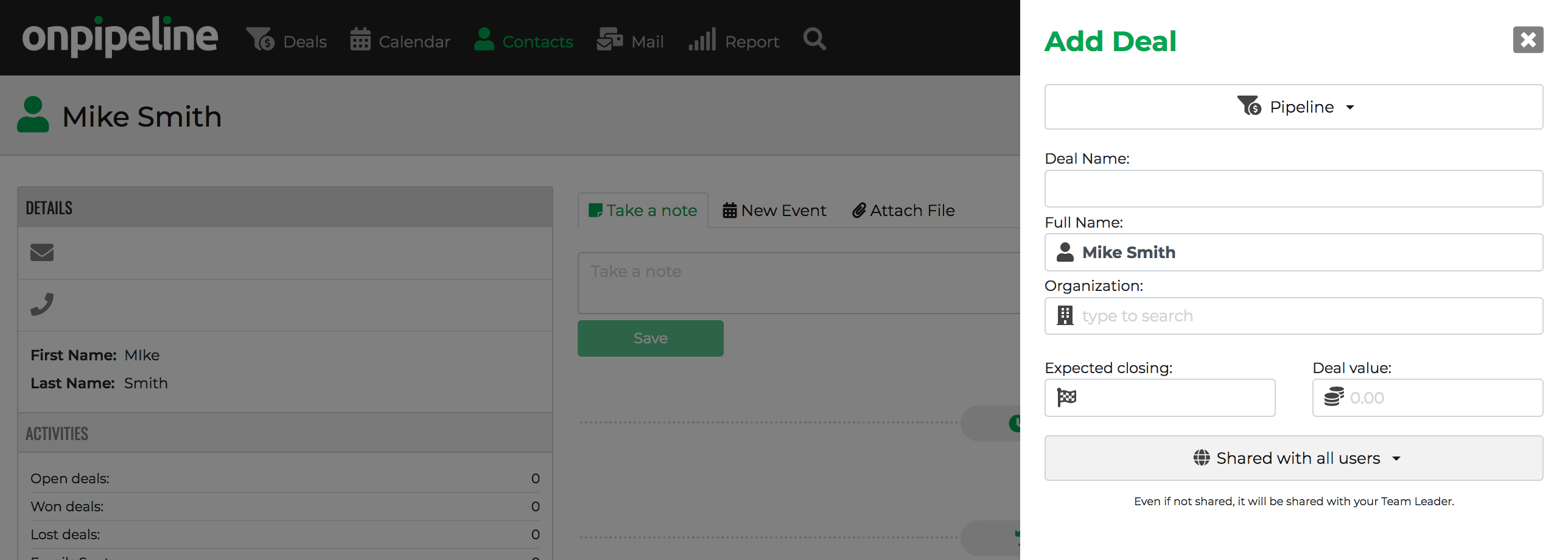
You can also add deals directly from the contact page:

Alternative methods
Deals can also be created through:
How to remove a deal
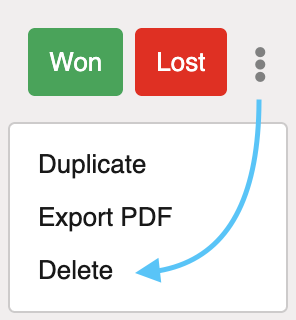
Deletion is available from the deal page by selecting ‘Delete’ in the three-dot menu located in the top-right corner. Please note that deleted deals can be restored.
Bulk deletion is not currently supported via the user interface, but it is available through our API. If preferred, our team can perform the operation for you free of charge. Please contact support with the relevant details.